Live Queue Times on a Stadium Map: Where the Data Comes From
How a match-day map can show live busyness at every bar, kiosk and toilet block: staff with a code, a typical-busyness profile, EPOS transactions, footfall sensors and Wi-Fi analytics, and why "quieter nearby" is the feature that moves a crowd.
 360 Virtual Tours · Updated 2026
Half time lasts fifteen minutes. In a 40,000-seat ground that is fifteen minutes in which everyone decides, at the same moment, to go to the nearest bar. The queue at the North concourse kiosk is twelve deep; the South concourse bar two blocks along has nobody at it. The venue knows this, because it happens every week. The supporter does not, because nothing tells them. A map that shows how busy each outlet is right now, and offers the quiet one with a route, is the single most useful thing a stadium app does, and it is now a feature of a Signposted page rather than something only an app can do.
Four sources, from a steward's thumb to the till
The question everyone asks is where the busyness number comes from. There are four answers, and a venue usually starts with the first and grows into the others.
Staff set it. Each site has a staff link and a six-digit code. The bar manager opens it on their own phone, finds their outlet and taps quiet, steady, busy or closed. No accounts, no app. Statuses expire after a set number of minutes, so a forgotten tap never shows "quiet" at half time.
A typical profile. The venue sets a level per outlet for each phase of the event: before kick-off, half time, final whistle. It is shown as "usually busy at half time" and fills in when nothing live has been set. This is the quiet workhorse: it changes behaviour before the crush, which is better than reporting it afterwards.
EPOS and sensors. Transactions per minute per till is a very good proxy for queue length, and every stadium food and drink operation already has it. Footfall counters, queue cameras and Wi-Fi analytics give a count per area. None of this needs a bespoke integration: the page has an API key, and the integrator or a Zapier-style tool posts a level or a score per outlet whenever the number changes.
Supporters themselves. A one-tap "how busy is it here?" aggregated over the last few minutes, the way Google's live popular-times works. It only works with volume, which a stadium has. It is on our roadmap rather than in the product today.
Quieter nearby is the point
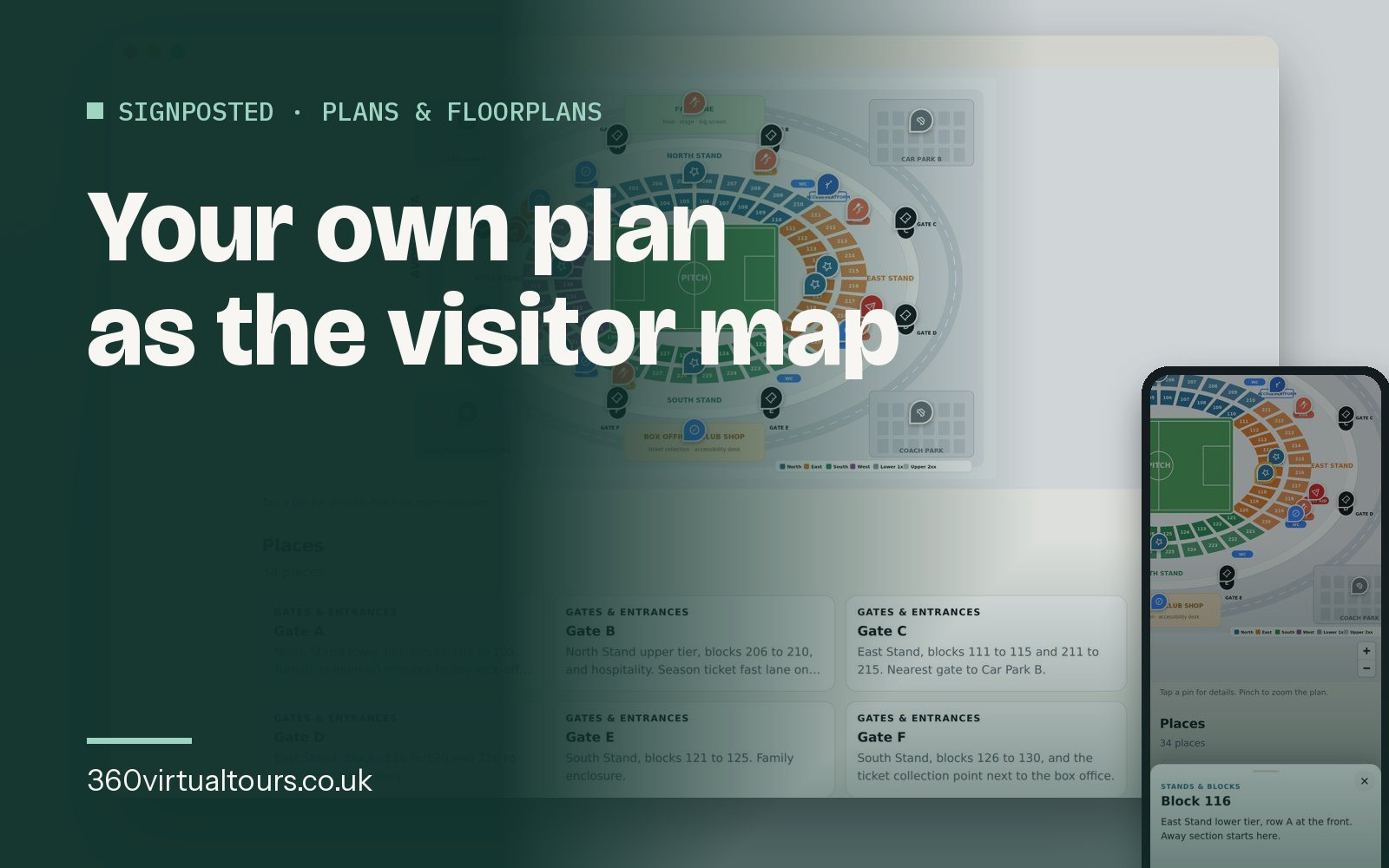
Showing a red pin is information. Offering the nearest green pin of the same kind, with the route, is a decision made for the supporter. That is the bit that moves a crowd, spreads the spend across outlets and shortens every queue at once. On a seating plan the route is "two blocks along"; on a satellite map it is walking directions.
Notices from the ops room
The same channel carries the things stewards repeat all afternoon: Car Park B is full, Gate C is closed, the fan zone reopens at full time. Posted from the builder or the staff link, a notice sits over the map on every phone within a minute and is cleared with one tap when it is no longer true.
What about the network?
Two problems, both solvable. First, 40,000 phones polling a server once a minute would be an expensive way to serve a small file; the live status is read through a CDN with a short cache, so the venue's server sees a few requests a minute whatever the crowd does. Second, the mobile network itself gives up in a full stand. The page stores itself, the plan and the places on the phone the first time it opens, so the map keeps working offline and picks up live statuses whenever a connection returns. The QR code belongs on the ticket and in the pre-match email, so the page is opened before the crowd arrives.
Where to start
Upload the seating plan, pin the outlets, set the typical profile and share the staff link with the catering manager. That is a day's work and it demos at the next home game. The EPOS feed comes later, when the venue can see from the first few fixtures which outlets the data would help most. Our Avon Arena demo shows a half-time snapshot, and the staff link on the demo lets you tap a status and watch the page change.
Ready to talk about a tour?
Bespoke 360, Matterport 3D or Google Street View: tell us about the space and we will recommend the right format and give you a clear price.