Get a quote
Case study · Heritage & museums · Bespoke 360 tour

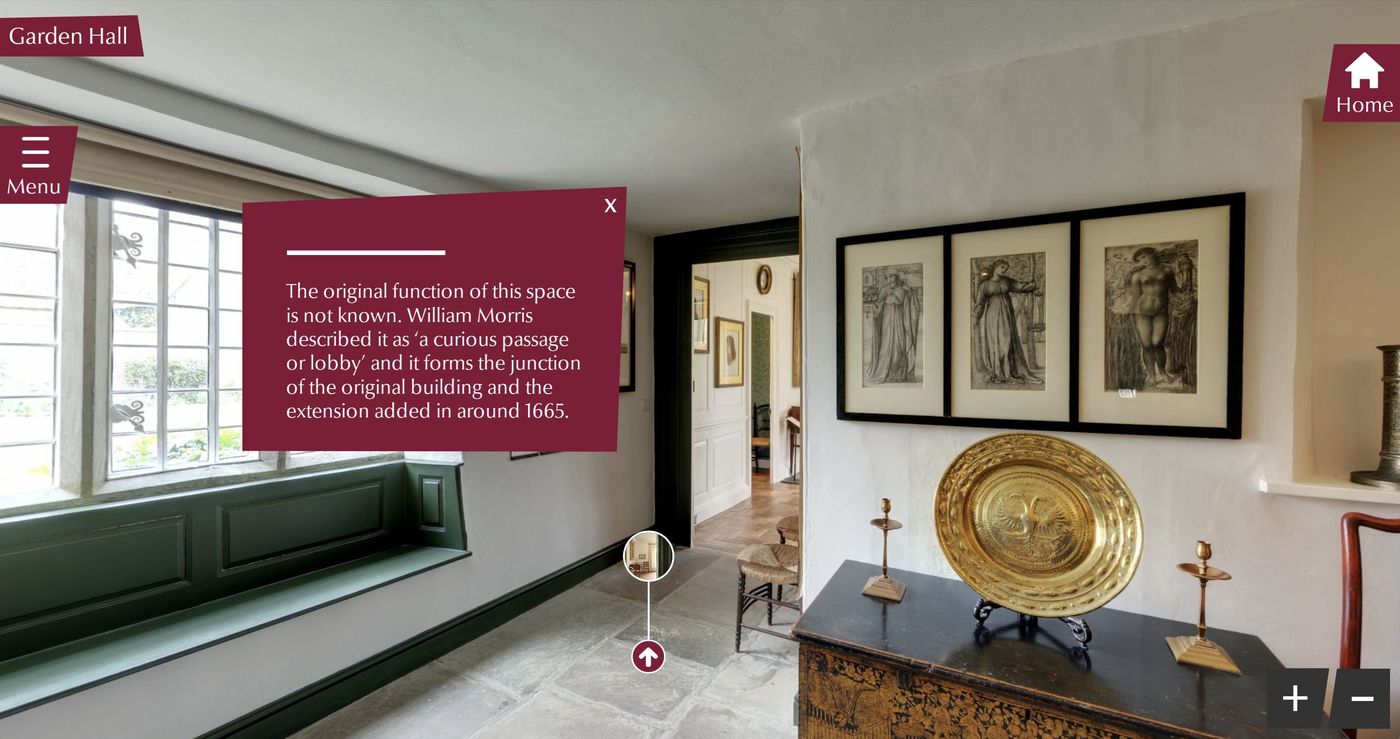
Kelmscott Manor 360 Virtual Tour

A 28 view bespoke 360 virtual tour of William Morris's country home, with an interface designed for the Manor: the house itself as the menu, a card for every room, and nineteen treasures to find and look at up close.

Get a quote

Kelmscott Manor, near Lechlade, was the country home of the designer, writer and activist William Morris and his family from 1871 to 1938. The house is cared for by the Society of Antiquaries of London and is still furnished with the family’s furniture, textiles and pictures across three floors, including the attics.

We first photographed the Manor for a tour that ran on a kiosk in the house, as an accessibility tool for visitors unable to reach the upper floors. It has now been rebuilt as one of our bespoke 360 virtual tours: 28 views from the gardens to the attics, 19 objects to look at up close, and an interface designed for Kelmscott in deep red and cream with a trailing-leaf border. Below we walk through each feature and why it is there.

Kelmscott Manor virtual tour welcome card on desktop and mobile
The welcome card on desktop and on a phone.

A welcome at the front door

The tour opens in front of the house with a short card: who lived here, and two ways to begin. “Step inside” starts at the front entrance. “See it from the air” opens an aerial view of the Manor, its barns and the gardens, so visitors understand the setting before they go in.

Aerial view of Kelmscott Manor with the room card and floor navigator
Kelmscott from the air.

The house as the menu

On the right of the screen is a small drawing of the house in section: Attics, First floor, Ground floor and Gardens, stacked under a roof. Choosing a floor goes there, the current floor is marked “You are here”, and each floor shows how many treasures are still to find. It is how the original kiosk tour was meant to be used: someone who cannot manage the stairs can go straight to the first floor or the attics.

A card for every room

Each room has a card with its floor, its place in the route, an illuminated first letter and a description written by the Manor. In the Old Hall, for example, it quotes Morris calling the room ‘really the heart of the house’. The card lists the things to look at more closely in that room, and its Next button names the room it leads to.

The Old Hall with its room card and the floor navigator, on desktop and mobile
The Old Hall, on desktop and mobile.

Treasures of the Manor

Nineteen objects are marked with a red magnifying glass, from the Strawberry Thief hangings in the Old Hall to the bed Morris was born in. Choosing one turns the view to the object, moves in for a closer look and opens a short story about it, then steps back to where the visitor was standing. Found treasures are ticked in green, and Previous and Next move through all nineteen in order.

A treasure open in the Old Hall: the Strawberry Thief design
Treasure 2 of 19: Strawberry Thief.

All nineteen in one place

The Treasures button in the header keeps count, and opens a list of all nineteen with a photograph, the room each is in and a progress bar. Choosing one goes straight to it, so the tour works as a hunt for younger visitors and as a catalogue for anyone who wants a particular piece.

Treasures of the Manor panel listing the nineteen objects with photographs
Treasures of the Manor.

The rooms, floor by floor

“Rooms” shows a photograph of every space grouped by floor, with the number of treasures in each, the current room outlined and visited rooms marked.

The rooms panel with photographs of each room grouped by floor
The rooms, floor by floor.

Buy tickets, always in view

A “Buy tickets” button stays in the header on every screen. The menu adds links to plan a visit, explore the collection, support the Manor and open its website, so the tour leads towards a visit rather than replacing one.

Tour menu with navigation, visit and support links, and settings
The menu.

Settings and help

The menu holds a short set of settings: larger text, hide the markers for a clear view, reduce motion, and move your phone to look around. There is a link to copy the current view, a full screen button, and a four-step guide to finding your way.

Finding your way, a four-step guide to using the tour
Finding your way.

Designed for a phone as well

On a phone the header keeps the name, the treasure count and the menu. Room cards and treasure stories rise from the bottom of the screen, long descriptions shorten to a line with “Read more”, and a button on the card opens the list of rooms.

Four mobile views of the Kelmscott Manor virtual tour
On a phone: the welcome card, the Old Hall, a treasure and the treasures list.

Self hosted, with no platform fee

Like our other bespoke tours, this one is delivered as a self-contained website that can be linked to, embedded, opened full screen or run on a kiosk, with no annual platform subscription for the tour itself. If you would like something similar for your house, museum or collection, take a look at our bespoke virtual tours or get in touch for a quote.

Open the live tour in a new tab

Free tour concept

Want a tour like this for your site?

Tell us about your site, what the tour is for and who it needs to reach. We will design a free concept in your own branding and send it with a quote, usually within two working days.

  • Designed around your branding
  • Built to WCAG 2.2 AA
  • No obligation
Recent work

Our most recent bespoke 360 tours

Bespoke 360 Virtual Tours →

Independent schools · Bespoke 360 tour

Giggleswick School: 360 Virtual Tour, 2026 Update

Student accommodation · Bespoke 360 tour

kinroom: Student Accommodation Virtual Tour

Tell us about your building

A clear price, no travel charges anywhere in mainland UK, and a named contact from first call to launch.

No obligation. No travel charges anywhere in mainland UK.

Why choose us